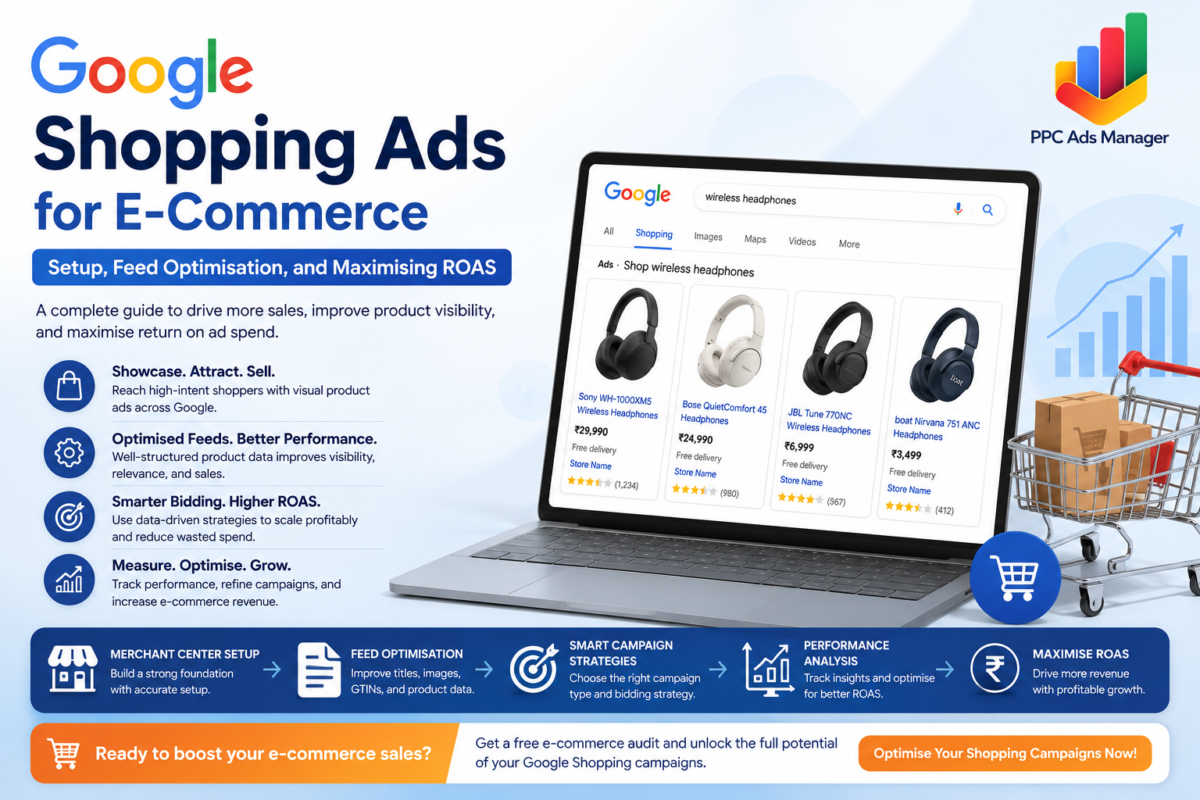
Online shopping has transformed consumer behaviour, and businesses that want to thrive in a competitive digital marketplace must place their products directly in front of potential buyers. Google Shopping Ads have become one of the most powerful advertising formats for e-commerce brands because they showcase products visually, display pricing information, and attract users who already have strong purchase intent.
Unlike traditional text-based advertisements, Shopping campaigns allow customers to see product images, prices, ratings, and store names before clicking. This creates highly qualified traffic and often delivers better conversion rates for online stores.
In this guide, we will explore how Google Shopping Ads work, how to set up successful campaigns, optimise product feeds, improve Return on Ad Spend (ROAS), and avoid common mistakes that prevent e-commerce businesses from achieving profitable growth.
What Are Google Shopping Ads?
Google Shopping Ads are product-based advertisements that appear across Google’s search results, Shopping tab, YouTube, Gmail, and Display Network. Instead of targeting keywords directly, Shopping campaigns use product information from your product feed to determine when and where ads should appear.
When a user searches for terms such as “running shoes for men” or “wireless noise-cancelling headphones,” Google analyses the product data submitted through Google Merchant Center and matches relevant products to the search query.
A Shopping ad typically includes:
- Product image
- Product title
- Price
- Store name
- Product ratings
- Promotional information
Because users can evaluate products before clicking, Shopping traffic is often more qualified than standard search traffic.
How Shopping Ads Differ from Search Ads
Although both campaign types appear within Google Search results, they function very differently.
Search Ads
Search Ads rely primarily on keywords. Advertisers create text advertisements and bid on specific search terms.
Features include:
- Keyword targeting
- Custom ad copy
- Headlines and descriptions
- Manual audience targeting
Shopping Ads
Shopping campaigns rely on product feed data rather than keyword lists.
Features include:
- Product images
- Automated query matching
- Product-level targeting
- Visual product displays
- Merchant Center integration
For e-commerce businesses, Shopping campaigns frequently generate stronger click-through rates because users can immediately evaluate product relevance.
Many successful online stores combine Shopping campaigns with Search campaigns to dominate search engine results pages and maximise visibility.
For businesses seeking comprehensive e-commerce advertising support, our Google Ads for E-Commerce Businesses service helps build scalable acquisition strategies that drive consistent revenue growth.
Setting Up Google Merchant Center
Before launching Shopping campaigns, you must configure Google Merchant Center correctly.
Merchant Center acts as the bridge between your online store and Google Ads account.
Step 1: Create a Merchant Center Account
Register your business and provide:
- Business name
- Website URL
- Country of sale
- Contact information
Step 2: Verify and Claim Your Website
Google requires verification to confirm ownership of your domain.
Verification methods include:
- HTML file upload
- Meta tag installation
- Google Analytics
- Google Tag Manager
Step 3: Upload Product Feed
The product feed contains essential information about every item you want to advertise.
Common feed attributes include:
- Product title
- Description
- Price
- Availability
- Brand
- GTIN
- Product image URL
- Product category
Step 4: Connect Merchant Center to Google Ads
Link both accounts to enable campaign creation and performance tracking.
Once connected, products become available for Shopping campaign advertising.
Product Feed Optimisation: The Foundation of Success
Many advertisers focus heavily on bidding strategies while neglecting feed quality. In reality, product feed optimisation is often the biggest factor influencing Shopping campaign performance.
Google relies on product data to understand relevance.
A poorly optimised feed can limit visibility regardless of budget.
Optimising Product Titles
Product titles carry significant weight in Shopping algorithms.
Include:
- Brand name
- Product type
- Key features
- Size
- Colour
- Model information
Example:
Instead of:
“Running Shoes”
Use:
“Nike Men’s Air Zoom Pegasus Running Shoes Black Size 10”
Descriptive titles improve matching accuracy and increase qualified traffic.
Improving Product Descriptions
Descriptions should provide detailed and useful information.
Include:
- Product benefits
- Features
- Materials
- Technical specifications
- Use cases
Avoid keyword stuffing. Focus on clarity and customer value.
Using High-Quality Images
Product images significantly impact click-through rates.
Best practices include:
- High resolution images
- White or clean backgrounds
- Multiple product angles
- No promotional overlays
- Accurate product representation
Poor imagery often reduces engagement regardless of competitive pricing.
Including GTINs
Global Trade Item Numbers help Google identify products accurately.
Benefits include:
- Better matching accuracy
- Improved auction participation
- Enhanced product visibility
Missing GTINs frequently lead to reduced Shopping performance.
Maintaining Accurate Pricing
Prices in Merchant Center must match website prices.
Price mismatches can trigger product disapprovals and lost visibility.
Automated feed synchronisation helps maintain consistency.
Understanding Standard Shopping, Smart Shopping, and Performance Max
Google has evolved Shopping campaign management over time.
Understanding each campaign type helps advertisers choose the right approach.
Standard Shopping Campaigns
Standard Shopping campaigns provide maximum control.
Advantages:
- Product group segmentation
- Custom bidding
- Search query insights
- Greater optimisation flexibility
Best suited for experienced advertisers who want detailed campaign management.
Smart Shopping Campaigns
Smart Shopping combined Shopping inventory with automated bidding and remarketing.
Although previously popular, Smart Shopping has largely been replaced by Performance Max.
Performance Max Shopping Campaigns
Performance Max has become Google’s primary automated e-commerce solution.
Benefits include:
- AI-driven bidding
- Cross-channel reach
- Automated audience targeting
- Dynamic asset generation
- Conversion-focused optimisation
Performance Max campaigns can deliver impressive results when supported by strong conversion data and high-quality product feeds.
However, advertisers should monitor performance carefully and maintain proper campaign structure.
Bidding Strategies for Higher ROAS
ROAS, or Return on Ad Spend, measures revenue generated relative to advertising costs.
For example:
- Ad spend: ₹50,000
- Revenue generated: ₹250,000
ROAS = 5x
This means every rupee spent generated five rupees in revenue.
Manual CPC
Manual Cost Per Click bidding gives advertisers direct control over bids.
Suitable for:
- New campaigns
- Small catalogues
- Data gathering
Enhanced CPC
Enhanced CPC allows Google to adjust bids based on conversion likelihood while maintaining advertiser control.
Target ROAS
Target ROAS is one of the most popular strategies for mature Shopping campaigns.
Google automatically adjusts bids to achieve desired profitability goals.
Benefits include:
- Automated optimisation
- Revenue-focused bidding
- Scalability
Target ROAS performs best when sufficient conversion data exists.
Segmenting Products by Performance
Not all products contribute equally to revenue.
One of the biggest Shopping campaign mistakes is treating every product identically.
Best Sellers
Allocate higher budgets toward:
- High-converting products
- Strong-margin products
- Proven revenue generators
Medium Performers
These products require optimisation and testing.
Strategies include:
- Title improvements
- Better imagery
- Promotional offers
- Competitive pricing
Low Performers
Evaluate whether products should:
- Receive lower bids
- Be moved into separate campaigns
- Be excluded entirely
Product segmentation allows budget allocation where it produces the highest return.
Common Google Shopping Ad Mistakes
Poor Feed Quality
Weak titles and incomplete product data reduce visibility.
Missing Conversion Tracking
Without conversion tracking, optimisation becomes guesswork.
Every e-commerce advertiser should implement accurate measurement systems.
Our Google Ads Conversion Tracking guide explains how proper tracking improves campaign performance and bidding efficiency.
Ignoring Search Query Data
Reviewing search terms helps identify:
- Irrelevant traffic
- Negative keyword opportunities
- New product trends
Combining All Products into One Group
Different products require different strategies.
Campaign segmentation improves budget control and profitability.
Using Low-Quality Images
Visual presentation directly affects click-through rates and purchase decisions.
Focusing Only on Clicks
High traffic does not guarantee profitability.
Success should be measured using:
- Revenue
- ROAS
- Conversion rate
- Profit margin
Ignoring CPC Optimisation
Excessive cost per click can destroy profitability.
Review our guide on How to Reduce CPC in Google Ads to improve campaign efficiency while maintaining volume.
E-Commerce Shopping Campaign Benchmarks
Performance varies by industry, product category, pricing, and competition.
However, many successful Shopping campaigns achieve:
- Click-through rates between 1% and 3%
- Conversion rates between 2% and 5%
- ROAS between 3x and 8x
Premium brands with strong customer loyalty often exceed these averages.
The key is continuous optimisation rather than chasing industry benchmarks.
Mini Case Study
An online fashion retailer struggled with rising acquisition costs despite increasing advertising budgets.
After auditing the account, several improvements were implemented:
- Product title restructuring
- Feed enrichment
- GTIN corrections
- Product segmentation
- Performance Max optimisation
- Target ROAS bidding
Within three months:
- Click-through rate increased by 34%
- Conversion rate improved by 27%
- Cost per acquisition decreased by 22%
- ROAS increased from 3.1x to 5.4x
The majority of performance gains came from feed optimisation rather than budget increases.
Final Thoughts
Google Shopping Ads remain one of the most effective acquisition channels for e-commerce businesses because they connect products directly with consumers who are actively searching to buy.
Success depends on more than simply launching campaigns. High-performing Shopping strategies require a well-structured Google Merchant Center account, accurate product data, compelling product imagery, intelligent bidding strategies, and ongoing optimisation.
Businesses that invest in feed quality, conversion tracking, campaign segmentation, and ROAS-focused bidding consistently outperform competitors who rely solely on budget increases.
As competition within e-commerce continues to intensify, the brands that treat Shopping campaigns as a strategic growth channel rather than a simple advertising tactic will be best positioned to achieve sustainable and profitable growth.
Ready to Increase Your E-Commerce Revenue?
If your Shopping campaigns are underperforming or you want to maximise profitability from your product catalogue, our team can help.
Contact us and get a free e-commerce advertising audit and discover opportunities to improve product feed quality, optimise bidding strategies, reduce wasted spend, and increase ROAS across your Google Shopping campaigns.
Frequently Asked Questions (FAQs)
1. What are Google Shopping Ads?
Google Shopping Ads are product-based advertisements that display product images, prices, store names, and other details directly within Google search results. They help e-commerce businesses attract high-intent shoppers who are actively looking to purchase products online.
2. How are Google Shopping Ads different from Search Ads?
Search Ads rely on keywords and text-based ad copy, whereas Shopping Ads use product feed data from Google Merchant Center. Shopping Ads are more visual and allow users to see product information before clicking, often resulting in higher-quality traffic.
3. Do I need Google Merchant Center to run Shopping Ads?
Yes. Google Merchant Center is required because it stores and manages your product feed. It connects your online store with Google Ads, enabling your products to appear in Shopping campaigns.
4. What is product feed optimisation?
Product feed optimisation involves improving product titles, descriptions, images, pricing information, GTINs, and other attributes to help Google better understand your products. A well-optimised feed can improve visibility, click-through rates, and conversions.
5. What is a good ROAS for Google Shopping campaigns?
A good Return on Ad Spend (ROAS) varies by industry and profit margins. However, many successful e-commerce businesses aim for a ROAS between 3x and 8x, meaning every ₹1 spent on advertising generates ₹3 to ₹8 in revenue.
6. Should I use Standard Shopping or Performance Max campaigns?
Standard Shopping campaigns offer greater control over bidding and product segmentation, while Performance Max uses automation and machine learning to optimise performance across Google’s channels. The right choice depends on your business goals, data volume, and level of campaign management expertise.
7. Why are my Google Shopping Ads not performing well?
Common reasons include poor product feed quality, low-quality images, inaccurate pricing, missing GTINs, weak conversion tracking, improper bidding strategies, and lack of campaign segmentation. Regular optimisation is essential for strong performance.
8. How can I improve conversions from Google Shopping Ads?
Focus on optimising product titles, using high-quality images, maintaining accurate product data, implementing conversion tracking, improving landing pages, segmenting products by performance, and using ROAS-focused bidding strategies to maximise profitability.